แสดงบทความที่มีป้ายกำกับ Android Arduino แสดงบทความทั้งหมด

วันเสาร์ที่ 23 เมษายน พ.ศ. 2559

Android Arduino Bluetooth Control LEDs


Android Arduino Bluetooth Control LEDs

Arduino Project which you want to control LED with Android device via Bluetooth, then this application for education and Fun!
App control 8 LEDs on the Arduino board via Bluetooth connection.
Bluetooth on Android device needs to be enable.


The Application Features


- Control 8 LEDs. ( with Bluetooth connection )

- Edit scene or pattern of LED and save to database

- One time / Loop Running

- Free Version with Ad.


Hardware

1. Arduino UNO Board or Compatible Board
2. Serial Bluetooth Module. ( HC-06 )
3. LED with Resistor 300 - 1K ohm x 8


Arduino Code and Wiring Diagram


Android App on Google Play  
App Manual

Pairing Bluetooth Module First
Settings => Bluetooth 


Search Your Bluetooth Device
Found Bluetooth Module Model HC-06


Pairing Bluetooth Device PIN 1234


Pairing OK then Close Settings and Open App


Open App then Connect Bluetooth


Bluetooth Connected OK


So, You can RUN One Time or LOOP  


EDIT Scene or pattern 


Option Menu


My Website
http://softpowergroup.net/
email : info@softpowergroup.net   Tel .081-6452400
Google+  https://plus.google.com/+SoftpowergroupNetThailand/

วันจันทร์ที่ 23 มิถุนายน พ.ศ. 2557

Arduino Control RGB LEDs via Bluetooth


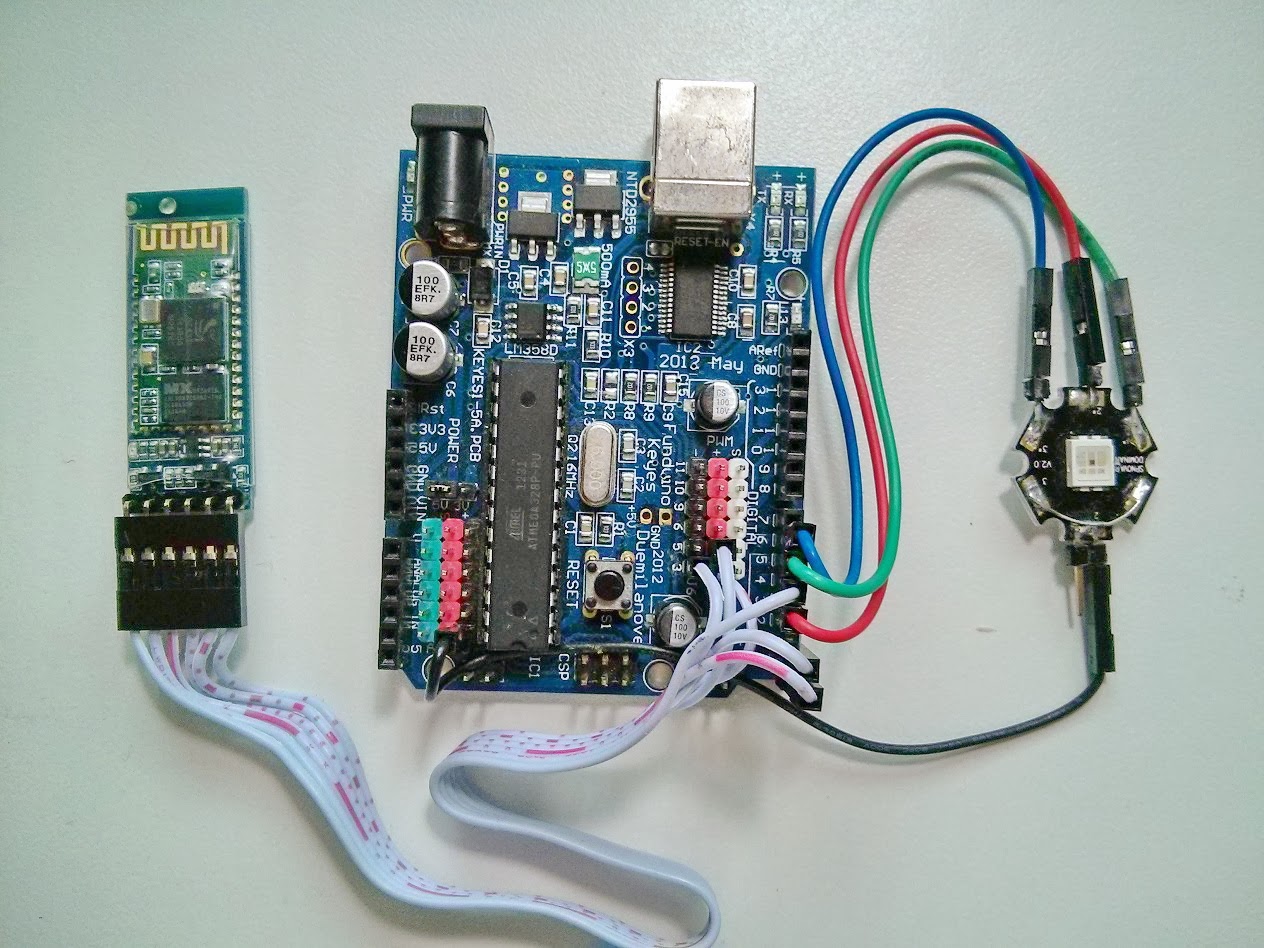
Diagram


Arduino Control RGB LEDs via Bluetooth.
( ควบคุม หลอดไฟ RGB LEDs ด้วย Android + Arduino + Bluetooth )


This App need connect to Arduino Board then control RGB LEDs via Bluetooth Connection.
Use Android Bluetooth to control. Then need enable Bluetooth setting.

The Application Features

  •          Control Color for RGB LEDs. ( via Bluetooth connection )
  •          Blink Function and can adjust timing to blink.
  •          Fading Function and can adjust timing to fading.
  •          When Bluetooth not connect to Arduino Board – User Interface Disable.
  •          When Bluetooth connected – User Interface Enable.
  •          Free Version with Ad.

Hardware
1.Arduino Board or compatible Board 
2.Serial Bluetooth Module.( TTL Output )
3.RGB LEDs  ( We use SPNovaLED model NMRTB-USD-AAB+ADE+Y2Z1-1 )
4.Android Device with Bluetooth Supported.


Software
Arduino Code ( You need to program into Arduino Board. )

Visit Hardware page ( USB Version )
http://microcontrollerkits.blogspot.com/2013/06/arduino-control-rgb-led-via-serial-port.html 
          
For more detail about Arduino Programming http://arduino.cc/en/

*** Code for Arduino for Bluetooth version, the same USB Version ***


  Android App.


https://play.google.com/store/apps/details?id=arduino.bluetooth.rgbleds

Download Arduino Control RGB LEDs via Bluetooth  on Google Play.
https://play.google.com/store/apps/details?id=arduino.bluetooth.rgbleds


Wiring Diagram in common-cathode.
If you want use in common-anode.Need change wiring and edit some arduino code.


Wiring Diagram and Hardware page ( USB Version )
Pls. visit in more detail.
http://microcontrollerkits.blogspot.com/2013/06/arduino-control-rgb-led-via-serial-port.html


About App.
  • Open App then connect to bluetooth.


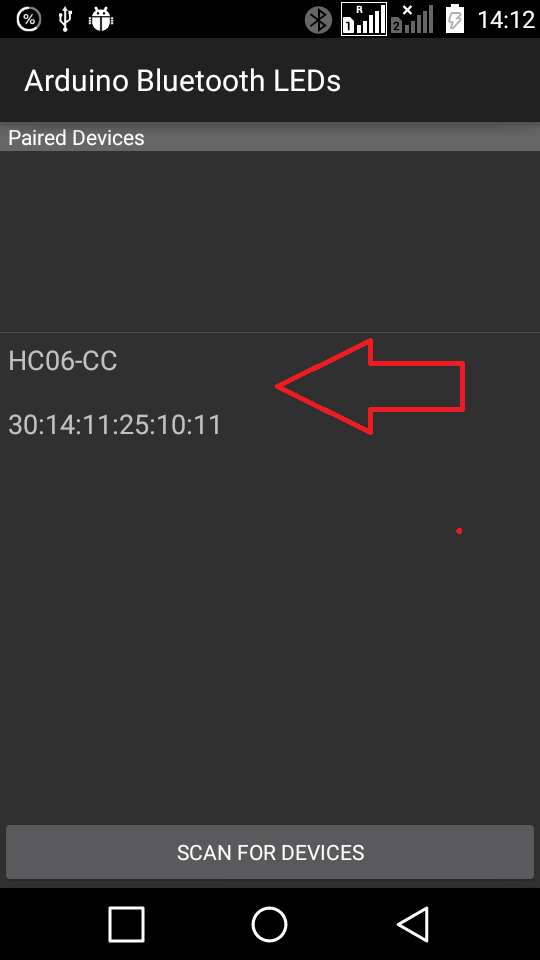
  • Paired Bluetooth Device.
         If you are not pair bluetooth device yet. SCAN for devices first.
         Paired device already. Select name of bluetooth module to connect.


  •       Bluetooth Connected already. 


  •       Other Menu - Hardware Diagram - About Developer.


   For Android Control RGB LEDs (USB Version)

     http://androidcontrol.blogspot.com/2013/06/android-arduino-control-rgb-led.html

วันจันทร์ที่ 28 พฤษภาคม พ.ศ. 2555

Beginning Android ADK with Arduino eBook


-->


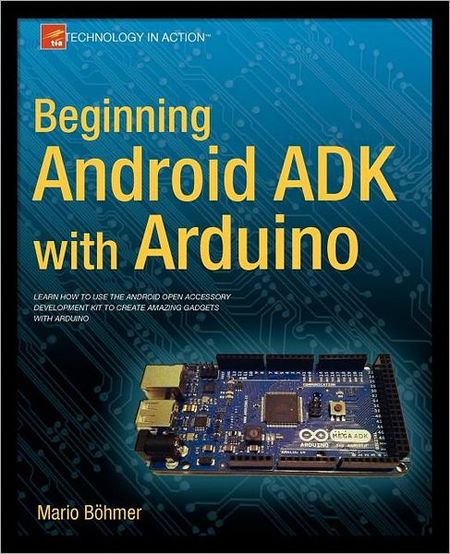
Beginning Android ADK with Arduino eBook

Beginning Android ADK with Arduino By Mario Bohmer
2012 | 316 Pages | ISBN: 1430241977 | EPUB + PDF | 9 MB + 10 MB

Learn how to use the Android Open Accessory Development Kit to create amazing gadgets with Arduino.

Whether you're new to Arduino and Android development, or you've tinkered a bit with either one, this is the book for you. Android has always been a natural fit with Arduino projects, but now that Google has released the Android Open Accessory Development Kit (the Android ADK), combining Android with Arduino to create custom gadgets has become even easier.

Beginning Android ADK with Arduino shows how the ADK works and how it can be used with a variety of Arduino boards to create a variety of fun projects that showcase the abilities of the ADK.

Mario Bohmer will walk you through several projects, including making sounds, driving motors, and creating alarm systems, all while explaining how to use the ADK and how standard Arduino boards may differ from Google-branded Arduinos. You aren't tied to specific hardware with this book; use what you have, and this book will show you how.

What you’ll learn
• How different boards work with the ADK.
• How to create your first sketch and project.
• How to work with light and sound.
• How to work with servos and DC motors.
• How to work with photoresistors and thermistors to sense the environment.
• How to make your own capacitive touch game show buzzer.
• How to create your own camera-enabled alarm system.
 

Who this book is for
This book is for beginning Arduino and Android enthusiasts, or Arduino developers who want to try out the new Android ADK.


Introduction Android ADK

In May 2011, Google held its annual developer conference, the Google IO, to present its newest technologies to approximately 5,000 attendees. In addition to improvements in its already well-known technologies such as the Google APIs or the core search technology, Google placed the focus on two major themes: Chrome and Android. As always, the newest advances in the Android Platform were presented and discussed, but what Google announced a bit later in the Android keynote was a bit of a surprise: Google’s first standard for Android devices to communicate with external hardware. The Android Open Accessory Standard and the Accessory Development Kit (ADK) will be the key for communicating with hardware and building external accessories for Android devices. To encourage development, Google handed out ADK hardware packages to interested attendees and showed some examples of ADK projects, such as a treadmill which transmitted data to a connected Android device and a huge tilt labyrinth, which could be controlled with an Android device. Shortly after the event, the first DIY projects surfaced which already showed the great potential of the ADK.
Since I couldn’t attend the event, I had no chance to get my hands on one of those kits; at the time, there was only one distributor for the Google ADK boards and this distributor wasn’t prepared for such a big demand. That didn’t stop me from building an alternative myself and from experiencing the joy of this new field in Android development. Over time, many more distributors have produced derivatives of the original Google ADK boards, which are, for the most part, cheaper and only provide the basics to get you started hacking your project together.
You probably just want to dive right in, but first you should learn about the specifics of the ADK and set up your development environment. You wouldn’t build a house before you knew how to do it or without having the proper tools, would you?


Free Download  Beginning Android ADK with Arduino eBook

Android Developer
 http://androiddevelopersthai.blogspot.com/

Android example code 
http://androidcodeexample.blogspot.com/  -->