Diagram

Arduino Control RGB LEDs via Bluetooth.
( ควบคุม หลอดไฟ RGB LEDs ด้วย Android + Arduino + Bluetooth )


This App need connect to Arduino Board then control RGB LEDs via Bluetooth Connection.
Use Android Bluetooth to control. Then need enable Bluetooth setting.
The Application Features
- Control Color for RGB LEDs. ( via Bluetooth connection )
- Blink Function and can adjust timing to blink.
- Fading Function and can adjust timing to fading.
- When Bluetooth not connect to Arduino Board – User Interface Disable.
- When Bluetooth connected – User Interface Enable.
- Free Version with Ad.
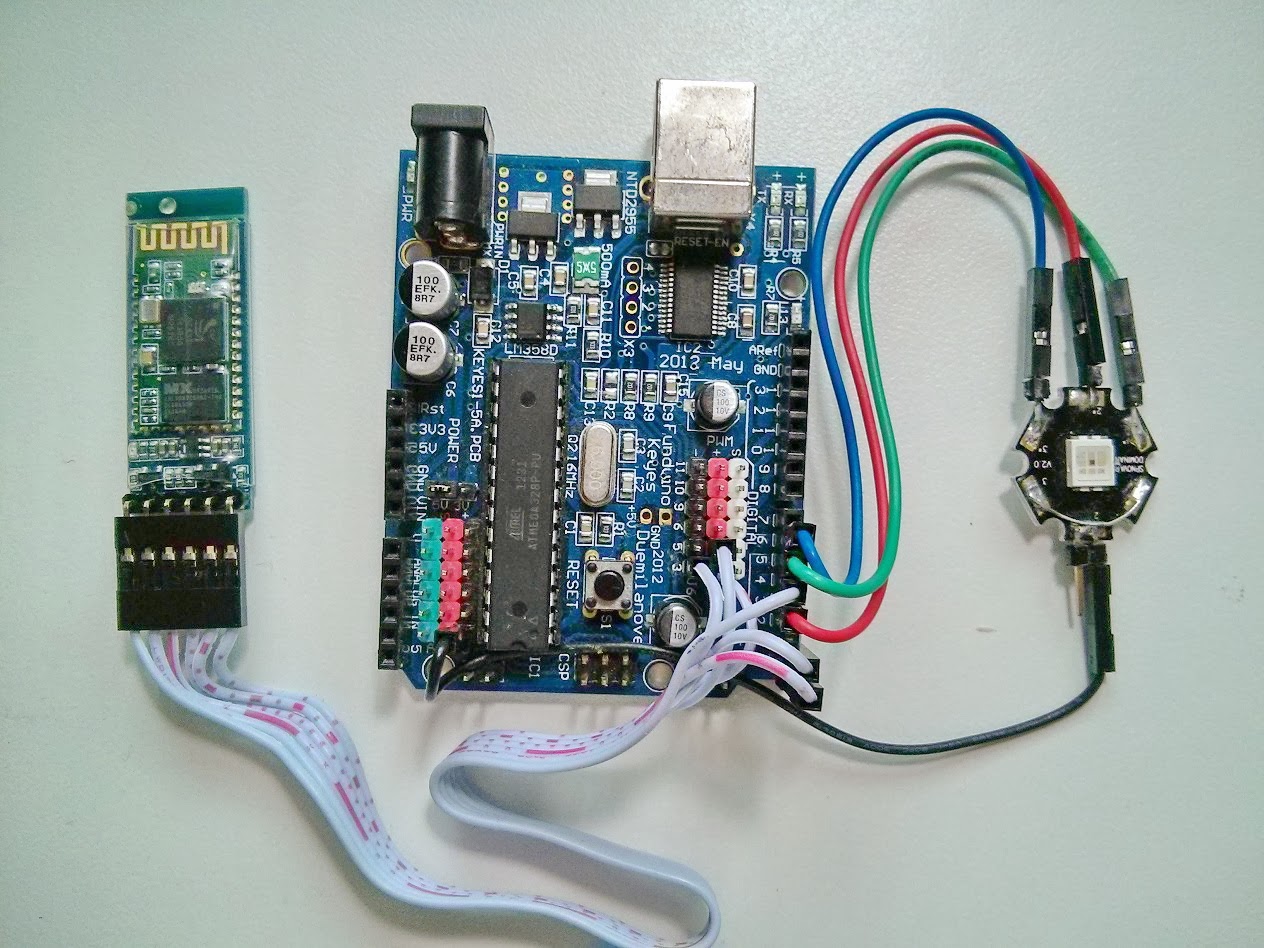
Hardware
1.Arduino Board or compatible Board
2.Serial Bluetooth Module.( TTL Output )
3.RGB LEDs ( We use SPNovaLED model NMRTB-USD-AAB+ADE+Y2Z1-1 )
4.Android Device with Bluetooth Supported.

Software
Arduino Code ( You need to program into Arduino Board. )
Visit Hardware page ( USB Version )
http://microcontrollerkits.blogspot.com/2013/06/arduino-control-rgb-led-via-serial-port.html
Arduino Code ( You need to program into Arduino Board. )
Visit Hardware page ( USB Version )
http://microcontrollerkits.blogspot.com/2013/06/arduino-control-rgb-led-via-serial-port.html
For more detail about Arduino Programming http://arduino.cc/en/
*** Code for Arduino for Bluetooth version, the same USB Version ***

Android App.

https://play.google.com/store/apps/details?id=arduino.bluetooth.rgbleds
Download Arduino Control RGB LEDs via Bluetooth on Google Play.
https://play.google.com/store/apps/details?id=arduino.bluetooth.rgbleds
Wiring Diagram in common-cathode.
If you want use in common-anode.Need change wiring and edit some arduino code.

Wiring Diagram and Hardware page ( USB Version )
*** Code for Arduino for Bluetooth version, the same USB Version ***

Android App.
https://play.google.com/store/apps/details?id=arduino.bluetooth.rgbleds
Download Arduino Control RGB LEDs via Bluetooth on Google Play.
https://play.google.com/store/apps/details?id=arduino.bluetooth.rgbleds
Wiring Diagram in common-cathode.
If you want use in common-anode.Need change wiring and edit some arduino code.

Wiring Diagram and Hardware page ( USB Version )
Pls. visit in more detail.
http://microcontrollerkits.blogspot.com/2013/06/arduino-control-rgb-led-via-serial-port.html
About App.


Paired device already. Select name of bluetooth module to connect.
http://microcontrollerkits.blogspot.com/2013/06/arduino-control-rgb-led-via-serial-port.html
About App.

- Open App then connect to bluetooth.

- Paired Bluetooth Device.
Paired device already. Select name of bluetooth module to connect.

- Bluetooth Connected already.

- Other Menu - Hardware Diagram - About Developer.
For Android Control RGB LEDs (USB Version)

http://androidcontrol.blogspot.com/2013/06/android-arduino-control-rgb-led.html
